Today we're launching Polaris, our rebuilt game server panel — live on every Expanse server, right now.
Polaris is built on Pterodactyl, the panel already powering a large part of the hosting industry. We didn't throw that out. We rebuilt the experience on top of it: a new dashboard, live performance stats, a CPU boost that's on by default, self-service region moves, faster backups, and one-click Minecraft tooling.
Here's everything that's new.
At a glance
| Most hosts | Expanse (Polaris) | |
| Look and feel | Classic, outdated admin panel | Renewed from the ground up, clean, modern, fast |
| Dashboard | A flat list of servers | Groupable cards, saved to your account across devices |
| Performance stats | Console numbers only | A real Stats page, with live charts, history, burst overlay |
| Extra CPU when you need it | Not available | CPU Burst, earn headroom automatically, use it when it counts |
| Moving regions | Have to ask support | Self-service, just a few clicks, with a cooldown for fairness |
| Backups | Slow, full backups every time | Smart deduplicated backups, faster, smaller, same restore process |
| Minecraft setup | Manual file uploads | Modpack installer, mod/plugin browsers, version switching, built in |
| Who did what on my server | Nothing | A real activity log, see every action, who did it, from where |
| Heads up before something breaks | Nothing | Resource alerts before you hit a limit |
New dashboard
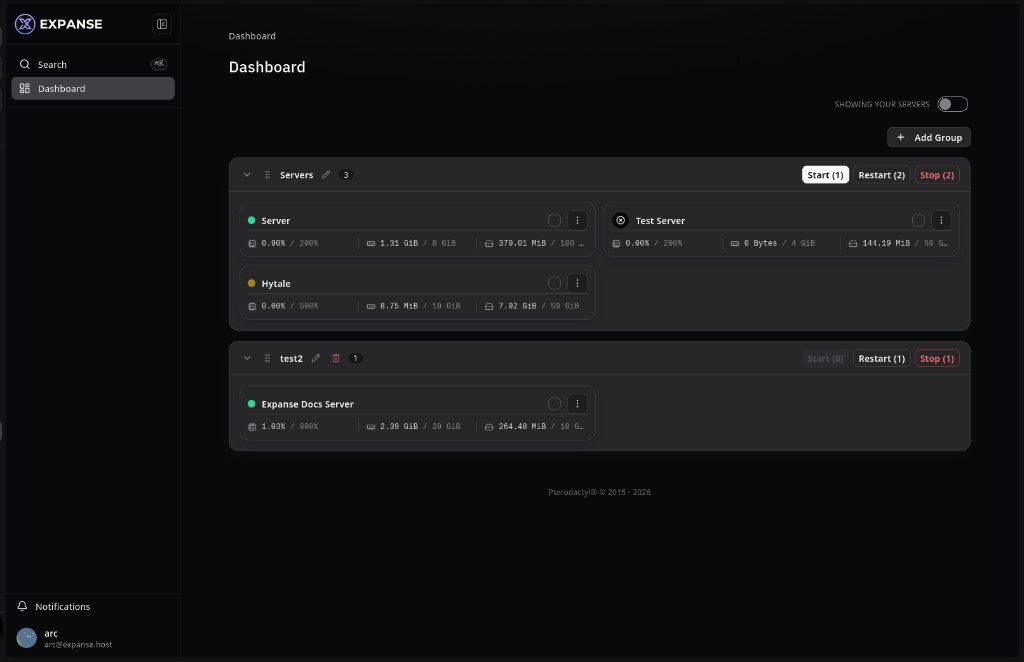
- Redesigned client: collapsible sidebar, consistent cards and buttons, breadcrumbs throughout
- Global search — pull it up instantly with Ctrl/Cmd+K
- Notification center
- Improved login flow, including 2FA and password reset
- Faster page loads
- Server groups and layout now save to your account, not your browser — same view on laptop and phone
Live stats + CPU Burst
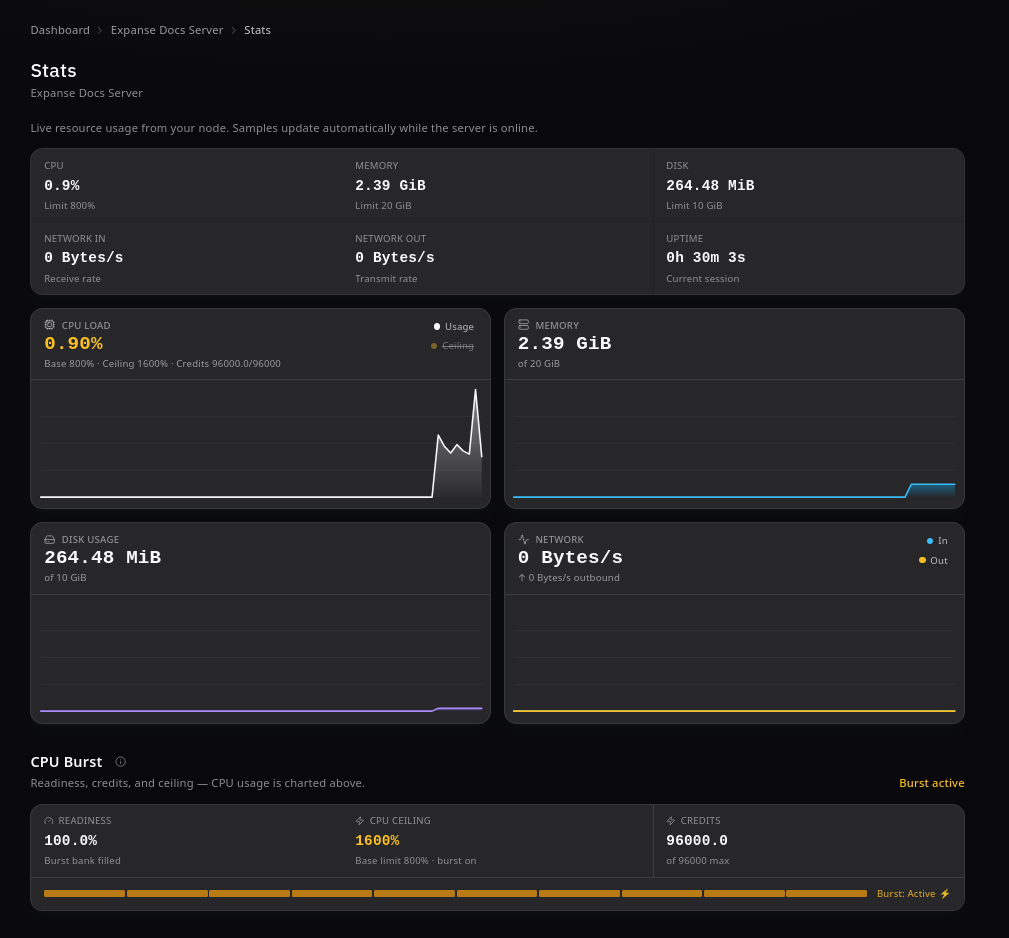
- New Stats page: live charts for CPU, memory, disk, and network, with hover tooltips
- New CPU Burst: your server banks CPU credit while idling below its limit, then automatically raises its CPU ceiling when load spikes — modpack updates, world regen, player influxes — no upgrade needed
- Readiness meter shows saved burst credit at a glance
- Stats page shows your current ceiling and whether burst is active right now
- Banked burst credit travels with your server across region moves
Self-service region moves + Game Switch
- Move your server to a different region yourself — no ticket, no wait
- Full move history for every server
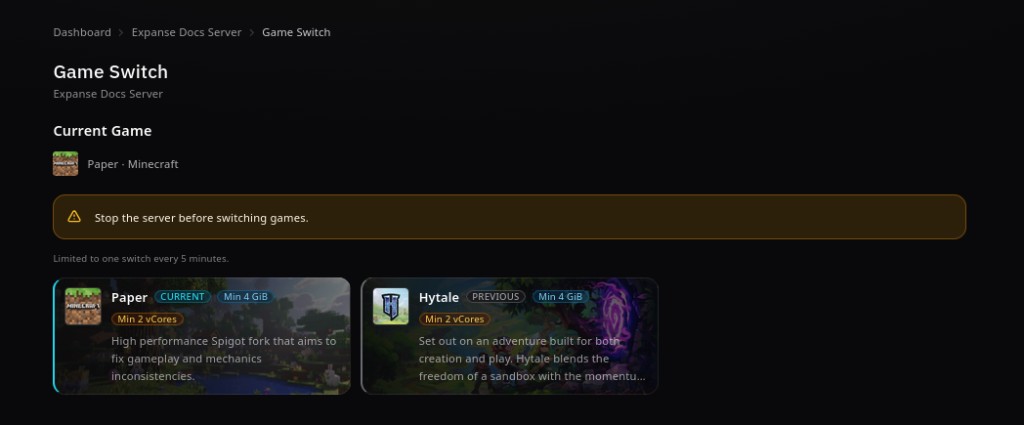
- New Game Switch: change what a server runs (including Minecraft server type) without rebuilding from scratch
- Requirements (min vCores, min GiB) shown upfront for every option
Minecraft tools
- Built-in modpack installer
- Mod and plugin browsers
- One-click Minecraft version switching
- Player manager
- Server importer for bringing in existing worlds
No more manual downloads, unzipping, or guessing loader versions.
Access + activity log
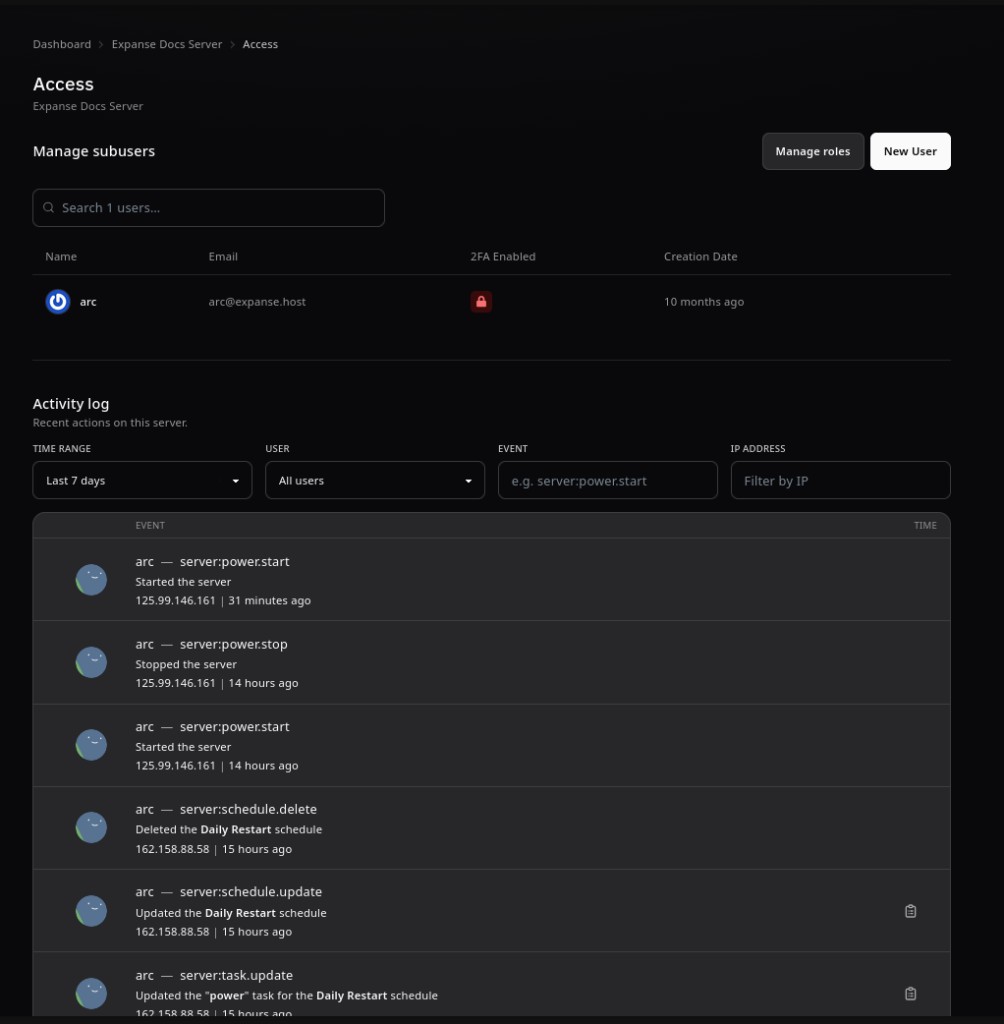
- Add collaborators with predefined roles instead of hand-picking every permission
- New per-server activity log, filterable by time, person, action, or IP address
Also new
- File trash bin with a retention window — deleted files are recoverable, not gone
- Built-in tool to split off part of a server's resources into a new server
- Subdomain support
- Schedule templates
- Dismissible announcement banners for maintenance notices
Faster, smaller backups
- New deduplicated backup engine — same create/restore flow, a fraction of the time and storage
- No changes required on your end; it just works
For hosts managing infrastructure
- Bulk server move tooling
- Fleet-wide visibility into CPU Burst and backup status
- Node alerts before resources run out
- Simple installer for rolling Polaris out or back
Compatibility is unchanged: Polaris is a true fork that stays in sync with upstream Pterodactyl. Every feature above is additive and can be turned off — eggs, schedules, permissions, the existing API, and standard backups all keep working exactly as before.
Available now
Everything above is live on Expanse today. Open your dashboard to try Stats, Burst, and Game Switch. Not hosting with us yet? Set up a server on Expanse.